Two-person reference guide
Make Hotel Lobby AI with two separate photos
Yes. Hotel Lobby AI accepts two separate reference photos to create one duo stage-performance video. Upload one clear portrait of each authorized adult, choose a template and describe a simple shared performance. You do not need a photo of the two people together.
This suits friends or couples who want a singing- or rap-style performance clip from separate portraits. The references guide appearance; they do not guarantee identical faces in every frame or exact synchronization to a chosen song.
Choose references that make each person easy to distinguish
Start with one person in each image. A group photo gives the model extra faces to interpret and makes the intended pair less clear. Select a reasonably recent image in which the face is unobstructed, well lit and large enough to see without zooming in. Avoid sunglasses, heavy filters, motion blur and hands covering the face.
A front-facing or mild three-quarter view provides a clearer identity reference than a distant side profile. Use similar photo quality for both people: one sharp portrait and one tiny compressed crop give the model uneven information. These are preparation recommendations, not measured guarantees of higher success rates.
Keep clothing visible if you want the outfit to help identify each performer. Distinctive clothing can also help you inspect the output: a green sweater and a cream blouse are easier to track than two matching outfits. References should depict adults who consent to this use; for a public demonstration, fictional characters are a useful option.
Two inputs and their corresponding output
The following fictional adult portraits were submitted through the deployed application on October 1, 2026. They are the inputs for this specific recorded test, rather than photographs of customers or celebrity references.
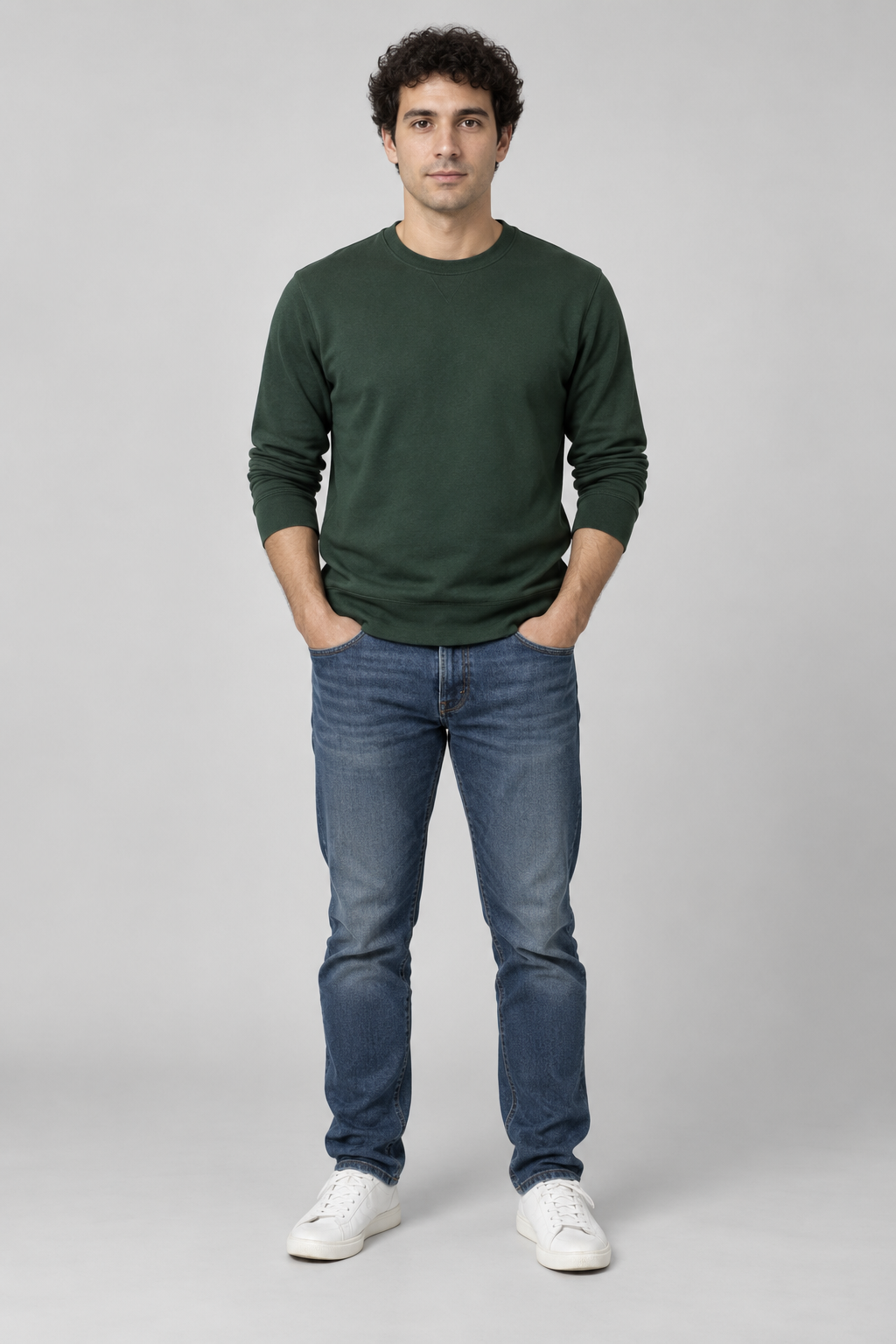
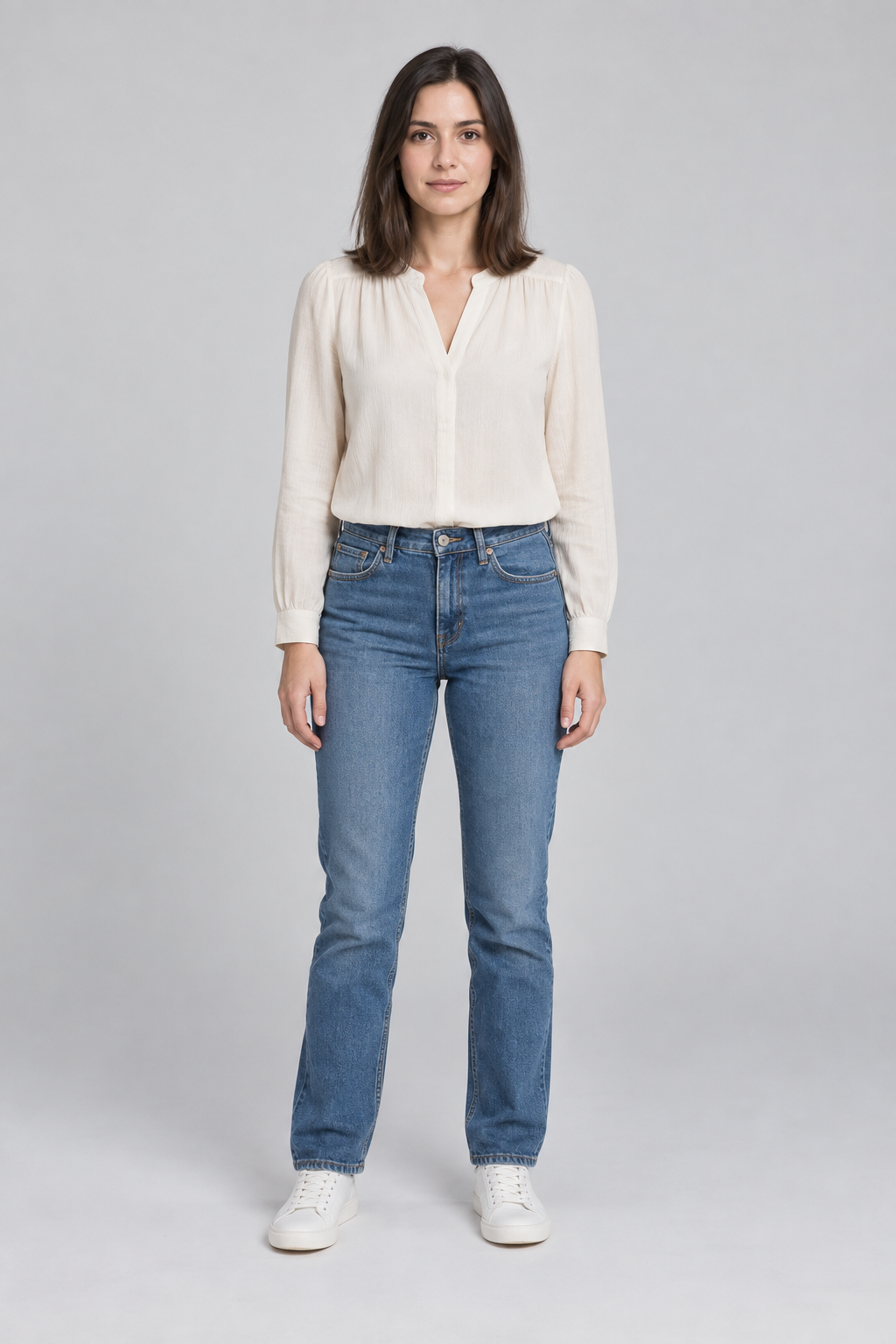
Requested settings versus measured file
| Requested | 5 seconds, 768P, portrait 9:16. |
|---|---|
| Delivered | MP4, 768 × 1344 pixels, 5.167 seconds, with an audio track. |
| Test credits | 50 internal test credits charged once. This was a recorded test grant, not a public free offer. |
| Inspected frame | Both distinct performers, their reference clothing, the orange set and hanging microphone were visible. |
The delivered dimensions reflect provider rounding and are not exactly 9:16. The model selection and full original prompt are not established by the published test record, so this page does not assign them retrospectively.
Compare each source portrait with the corresponding performer across the full clip. The inspected frame demonstrates a successful result for this pair; it is not a success-rate measurement or a promise of equal identity preservation for every pair. See the full examples page for this case and additional layouts.
Make positions and movement easy to follow
Use the same names for the references throughout your creative direction, such as “Photo A” and “Photo B.” State a desired side once, then describe a short shared action. Left and right are generation instructions, not a reliable position lock.
For a first attempt, keep both people in view and request limited movement. Complicated choreography, repeated crossings or dramatic camera cuts make identity continuity harder to inspect. Once you have a satisfactory short result, you can try a more ambitious performance.
For example, a creative direction could read: “Photo A on the left and Photo B on the right, both visible beneath the hanging microphone. A leads a short performance while B responds with a small nod, then they switch roles. Keep their reference clothing and use a steady camera.” This is a suggested starting point, not the original prompt from the recorded case.
If a face changes, a person disappears or sides swap
| What you see | What to try next |
|---|---|
| Face drift | Replace a blurred, filtered or heavily angled reference with a clearer portrait. Reduce large head turns and fast camera movement in the next request. |
| The two faces blend | Check that each input contains only one person. Use distinct clothing references and consistent Photo A / Photo B descriptions. |
| Sides swap | Request a steady two-person composition without crossing. Review the full output; the requested side is not guaranteed. |
| One person disappears | Ask for both performers to remain visible throughout. Avoid close-ups and simplify the action. |
| Mouth movement misses the music | Review the audio and mouth movement separately. This photo-to-video workflow does not guarantee accurate lip sync to a specified track. |
These adjustments are practical suggestions rather than tested remedies for every failure. A completed video with disappointing likeness is different from a job that fails to generate. Check the displayed charge before retrying and read the refund policy for failed-job handling.
Questions before you upload
Do both photos have to show the full body?
No. A full-body photo is not mandatory. Start with one clear face per portrait; the uploader accepts JPG, PNG or WebP files up to 10 MB each. A clothed upper-body or full-body reference can give the model more information about the outfit, provided the face remains clearly readable. It does not guarantee that the generated body or clothing will match exactly.
Can I use two photos taken in different places?
Yes. The inputs are separate references; they do not need the same background or to show the people together. Favor comparable clarity and lighting so both faces are readable.
Can I upload one group photo instead of two portraits?
The studio has two separate reference slots and does not automatically split a group photo into two performers. Prepare a separate authorized photo of each person, or crop an authorized group photo into two references only if each face remains clear. Upload one reference in each slot.
Can I use two photos of myself to make a duo?
You can submit two authorized references of the same adult and request two on-screen performers. The published two-photo case uses two distinct fictional people, so it does not verify a same-person duo. Two separate characters and consistent likeness are not guaranteed.
Can I make a Hotel Lobby video with pets?
Pet performances are an experimental creative use rather than a verified two-photo workflow on this page. A pet example in the gallery is inspiration, not evidence that this portrait-based process will reliably preserve two pets. For the demonstrated workflow, use two clear adult human portraits.
Will it copy both faces exactly?
The photos guide the generated characters, but appearance can vary between frames and requests. Inspect facial likeness, clothing, hands and movement before publishing.
Can this make two people sing a specific song?
It can create a duo singing- or rap-style visual performance. Do not assume that a generated audio track contains your chosen song or follows specific lyrics accurately. Use music you have rights to when editing or publishing the clip.
Is a two-photo video free?
Public generation uses credits. The studio displays the current charge for your selected model and settings before submission. See the free-access explanation and pricing and credits; the internal test grant in this case is not an offer.
Choose your next step
If your photos are ready, upload them in the generator. For the look of the scene, compare Hotel Lobby AI templates. For the complete workflow, use the creation guide or video tutorial walkthrough.